
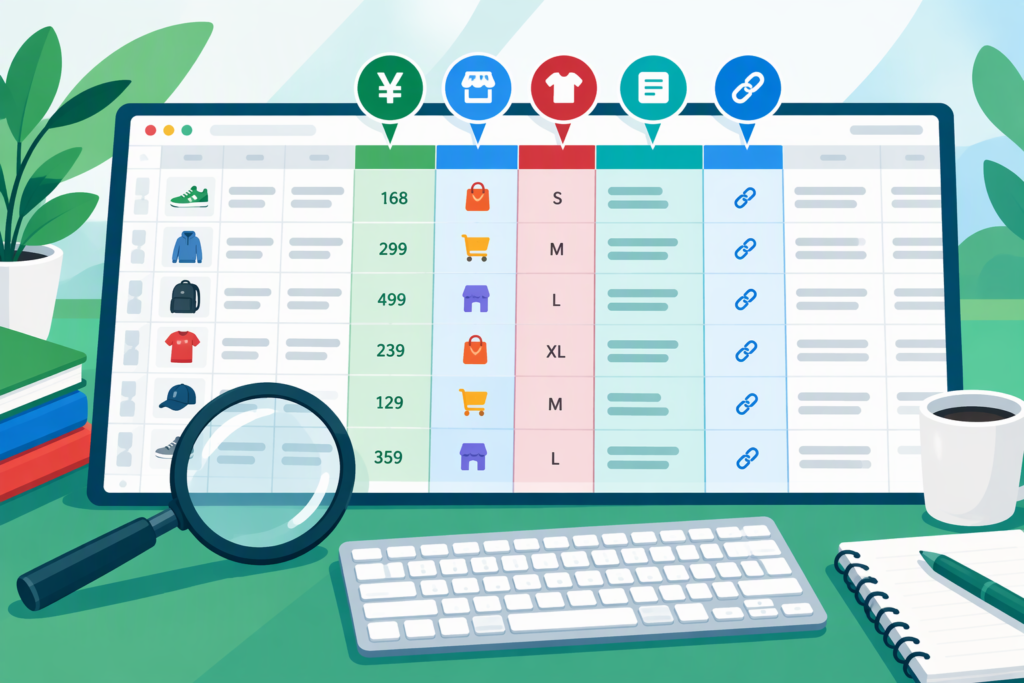
At first glance a kakobuy spreadsheet can look like a wall of thumbnails, Chinese characters and numbers with no obvious logic. Once you understand what each column is telling you, though, it becomes one of the fastest ways to shortlist products from 1688, Weidian, Pinduoduo and Taobao. This guide decodes the typical layout, explains how to handle yuan prices, shows you how to spot links that no longer work, and ends with a simple method for turning a public list into your own private wishlist.
The Anatomy of a Typical Row
Every curator formats a kakobuy spreadsheet a little differently, but most share a familiar set of columns. Think of each row as a mini product card.
Photo
The thumbnail is usually pulled from the seller’s listing. It shows you the style, but it is a marketing image, not proof of what will arrive. Real-world photos come later, at the quality-check stage.
Item Name
Curators often rename items in plain English, such as “heavyweight boxy tee” or “nylon cargo shorts”. The original listing title may be much longer and stuffed with Chinese search terms, so the friendly name is your quick reference.
Price (CNY and Sometimes USD)
Most sheets list the seller’s price in Chinese yuan (CNY, shown as ¥ or RMB). Some add an approximate dollar, pound or euro figure. That conversion was correct on the day it was entered and may now be out of date.
Platform
A short tag like “1688”, “WD”, “PDD” or “TB” tells you where the item is sold. This matters because each marketplace has different pricing habits and seller behaviour, which we compare in our Alibaba vs 1688 vs Taobao breakdown.
Link
The link may point directly to the marketplace or be pre-formatted to open inside the Kakobuy agent. Either way, it is the gateway to the live listing where you choose size and colour.
Notes and Sizing Remarks
This is the most underrated column. Look for remarks like “runs small, size up”, “choose the second batch”, “colour darker in person” or “seller slow to ship”. These comments often come from community feedback and save you from common mistakes.
Last Updated
A date stamp tells you how fresh the entry is. A row checked last week is far more trustworthy than one untouched for a year.
Converting Yuan Without Getting Caught Out
Because exchange rates move daily, treat any pre-converted figure as a rough guide. A sensible routine looks like this:
- Note the CNY price from the live listing, not the sheet, because sellers update prices.
- Use a current exchange-rate source or the agent’s own displayed conversion.
- Add domestic Chinese shipping to the warehouse, which some sellers charge separately.
- Remember that international shipping, any service charges and possible import costs come on top.
The item price is only one piece of the total. For a realistic view of the full cost of a parcel, our customs and import tax guide covers what may apply after it leaves China.
How to Spot Dead or Changed Links
Listings vanish all the time as shops close, sell out or relist under new IDs. Watch for these warning signs:
- The page loads but says the item is unavailable or removed.
- The photos no longer match the thumbnail in the sheet.
- The price has jumped or dropped dramatically compared with the sheet.
- Only one or two sizes remain selectable.
If a link is dead, search the item name or the shop name on the same platform; sellers frequently relist identical products. You can also check whether a newer version of the list has replaced it.
Filtering a Kakobuy Spreadsheet by Platform
Large lists can contain thousands of rows. Filtering by the platform column helps you focus on the type of shopping you want to do:
- 1688 rows are useful when you want several basics at factory-level prices.
- Weidian rows often feature well-known independent sellers with tested products.
- Pinduoduo rows are handy for budget extras and household items.
- Taobao rows give the widest selection across every category.
Many websites also split items by category. For example, the T-shirt category on SheetFinds lets you compare similar tees from different platforms in one place. Alibaba.com links appear far less often, since that site focuses on international bulk trade.
Hidden Kakobuy Spreadsheet Tips Most Beginners Miss
- Read the notes before the price. A cheap item with a “sizing inconsistent” warning may cost more in the end.
- Check whether variants share one link. Some rows hide several colourways behind a single listing.
- Look at shop names. If the same seller appears repeatedly with good notes, that is a positive signal.
- Weight matters. Some sheets include an estimated weight, which helps you predict shipping.
Building Your Personal Wishlist
Rather than clicking back and forth, make your own copy. A simple personal list might include the item name, link, chosen size, live CNY price, notes and a priority rating. Add a column for “ordered” and “QC approved” so you can track progress. Keeping it lean helps you stay within budget and makes planning your first haul checklist much easier.
FAQ
Why does the sheet price differ from the listing price?
Sellers change prices, and curators cannot update every row daily. Always trust the live listing at the moment you order.
What do abbreviations like WD and PDD mean?
They are shorthand for Weidian and Pinduoduo. TB usually means Taobao, and 1688 is written as-is.
Is a recently updated row guaranteed to work?
No. A recent date improves the odds, but stock and listings can change at any time, so check before you buy.
Once these columns make sense, browsing becomes quick and much less risky. Explore the kakobuy spreadsheet with fresh eyes, or return to our main Kakobuy spreadsheet hub for more platform guides.
Ready to shop? Browse every category in the Kakobuy spreadsheet or return to the complete Kakobuy spreadsheet guide.